
You've found the room you want, checked the days that suit your work schedule, and opened the childcare enrolment form while your child naps beside you. Then the questions start: immunisation history, authorised pickups, medical plans, parenting orders, identity documents and subsidy details. It can feel like a lot, but each field has a practical purpose. A complete form helps the centre keep your child safe, verify who may collect them and prepare the right records before the first day.
For families applying to Kids Club Early Learning Centre in Springvale South, Dandenong North or Ferntree Gully, this guide breaks the process into manageable pieces. You'll see what to gather, how to complete the form field by field, how Victorian requirements connect with Child Care Subsidy confirmation, and which small omissions commonly cause follow-up emails.
Getting Started With Your Childcare Enrolment Form
A childcare enrolment form is more than a request for your phone number and preferred start date. In Victoria, the state enrolment template requires legally relevant health information, including a child's immunisation status or exemption details. It also says an Australian Immunisation Register Immunisation History Statement must be provided within the two months before the child starts at the service, as set out in the Victorian enrolment form template.
That's why the form can feel detailed. The centre needs reliable information for everyday care, emergency decisions, identity checks and authorised collection. It also needs records that support its responsibilities under Victorian early childhood requirements.
I've seen families pause at the medical questions because they're unsure how much detail to include. A useful rule is to write what an educator would need to know during a normal day. “Mild allergy” isn't enough on its own. Explain the known trigger, signs to watch for, treatment available and where the relevant action plan is kept. If a doctor or health professional must complete part of a plan, submit that document with the form rather than relying on a note in the comments box.
Key takeaway: The fastest route to a confirmed place is an accurate form with every required document attached, not a rushed form submitted with missing information.
The same principle applies to subsidy planning. Families can use the Child Care Subsidy estimator to prepare for likely costs, but the estimator doesn't replace the formal enrolment and confirmation process. Your centre and Services Australia still need matching details before subsidy arrangements can operate correctly.
By the end of this process, you should have a completed form, a document bundle, a record of what you submitted and a clear next action if the centre asks for clarification. If you're uncertain about a question, leave yourself a note and ask the administration team rather than guessing.
Where to Find the Kids Club Form and What to Prepare First
Start with the Kids Club Early Learning Centre website or contact the administration team to request the current enrolment pack. Families may complete enrolment details electronically through the centre's secure online platform, OWNA, or follow the instructions provided by the centre for returning other paperwork.
Before opening the form, confirm the programme and age group that applies to your child. Kids Club ELC caters for children from six weeks to six years, including infant and toddler care, three-year-old kindergarten and four-year-old pre-PREP. Selecting the correct room or programme helps the team interpret your requested start date and care needs accurately.
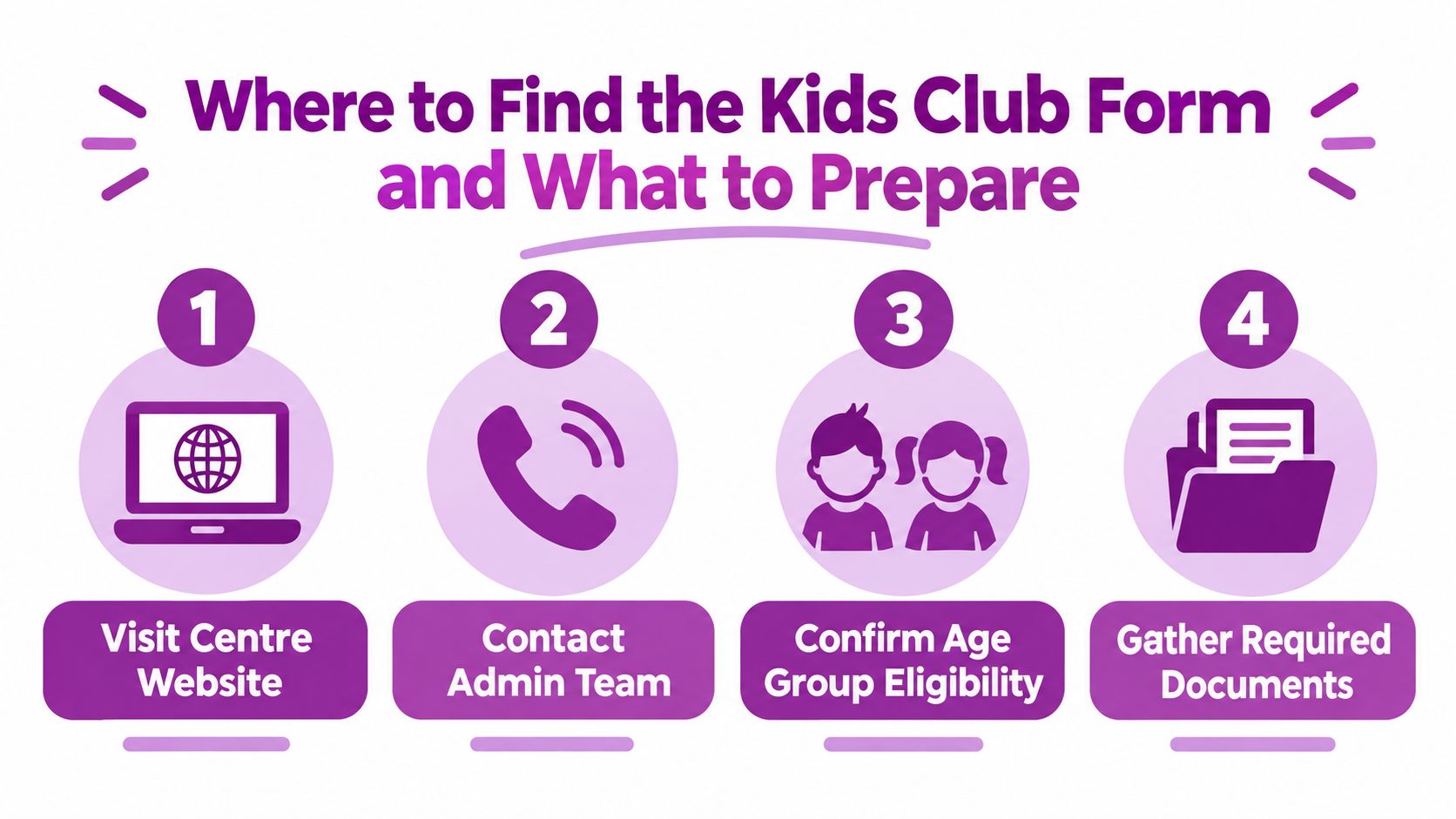
Build your document folder first
A digital folder on your phone or computer is fine, provided files are readable and clearly named. Keep original documents available in case the centre needs to sight them.
Use this pre-form checklist:
- Child identity: Prepare the child's birth certificate or another identity document requested by the centre.
- Immunisation record: Obtain the child's current Australian Immunisation Register Immunisation History Statement and check its date before the start date.
- Parent and carer details: Gather legal names, addresses, phone numbers, email addresses and relevant contact information for each parent or carer.
- Emergency contacts: Choose people who can answer calls and reach the centre if you can't.
- Authorised pickups: List every person permitted to collect your child, using their full legal name and any details the form requests.
- Medical documents: Add asthma plans, allergy plans, medication instructions and other health documents that apply to your child.
- Legal documents: Include parenting orders, court documents or other legal information if it affects care, communication or collection arrangements.
- Language and cultural information: Note languages spoken at home, cultural practices and communication preferences that will help educators support your child.
The childcare fees calculator can help you consider fee planning separately from the enrolment paperwork. Keep financial questions in their own list so they don't distract you from compliance documents.
Check scans before uploading them. A cropped birth certificate, unreadable medical plan or photograph with glare can create another round of requests even when you've supplied the right document.
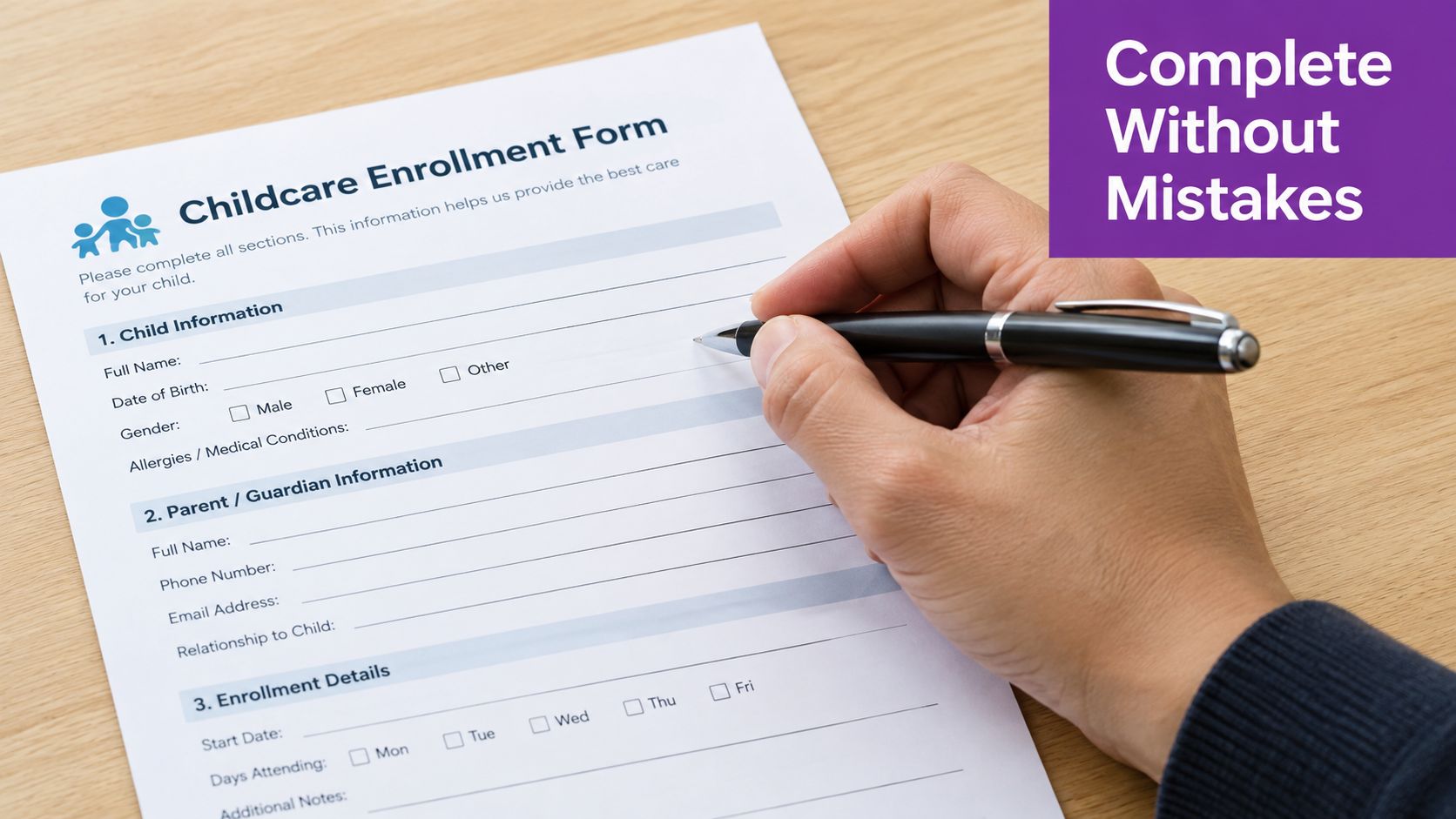
How to Complete Every Section Without Mistakes
The best way to complete a childcare enrolment form is to follow the order on the page, but slow down whenever a question affects safety, legal authority or government records. Use the child's legal details where the form asks for them, and add a preferred name only in the field provided.
Child details and requested care
Enter the child's full legal name exactly as it appears on the identity document. Check the date of birth carefully, then provide the proposed commencement date, attendance pattern and programme or room preference. If your days may change because of work or study, explain that in the comments or ask the centre how it wants variable care recorded.
Avoid using a nickname in the legal-name field. A familiar name is useful for educators, but it shouldn't replace the identity information the centre needs for its records.
Parent, carer and emergency contacts
Complete every parent or legal carer field that applies. Use personal email addresses and phone numbers that you check regularly, not an old work address or a number that's rarely answered.
Emergency contacts should be people who understand that they may need to respond quickly. Speak with them before listing them, and make sure they know the child's name, your centre and the circumstances in which staff may call.
Authorised pickups and collection limits
Write the full names of everyone who may collect your child. Don't assume that a relative is automatically authorised because they're known to your family. If the form asks for identification details, provide them exactly as requested.
Tell the centre about collection restrictions in the relevant legal section. Parenting orders or other court arrangements need to be supplied as documents, not summarised vaguely in a free-text box. The administration team can explain how to submit sensitive legal information securely.
Health, allergies and medication
Use plain, observable language. For example, “develops hives after eating peanut products, use the attached action plan and contact parent” gives educators more useful information than “food issue”.
Include allergies, asthma, regular medication, dietary requirements, disability support needs, sleep considerations and other information that affects care. State whether medication is carried, stored at the centre or supplied as needed, then follow the centre's medication procedure.
If your child has an individual medical action plan, check that all required health professional sections and signatures are complete. The Kids Club policy and procedures page can help you locate the centre's relevant guidance before you submit.
Immunisation and health status
Answer the immunisation question directly, including any exemption details requested. Attach the current statement rather than assuming the centre can retrieve it for you. If your child's record has changed, provide the updated version before commencement.
Culture, language and additional needs
Tell educators which language your child understands best, what language your family uses at home and whether there are cultural routines the centre should respect. These details can support settling, communication and consistent care.
For developmental, behavioural or sensory needs, describe what helps your child participate. “Needs support with transitions and responds well to a visual warning” is more useful than a broad label without context. Include strengths as well as challenges, because educators need a rounded picture of your child.
Declarations, permissions and signatures
Read each declaration before signing. Check permissions relating to emergency treatment, photographs, excursions, sunscreen, sun protection, online communication and information sharing. If both parents or carers must sign a section, make sure the required signatures are present before returning the form.
Write the answer an educator would need at 8 am on a busy day, not the answer that merely fits the box.
Use the comments area for context, not for information that belongs in an attached document. If a field doesn't apply, write “not applicable” where appropriate instead of leaving it blank. Blank fields force staff to guess whether you missed the question or whether it doesn't apply.
Submitting Your Form and Confirming Your Enrolment
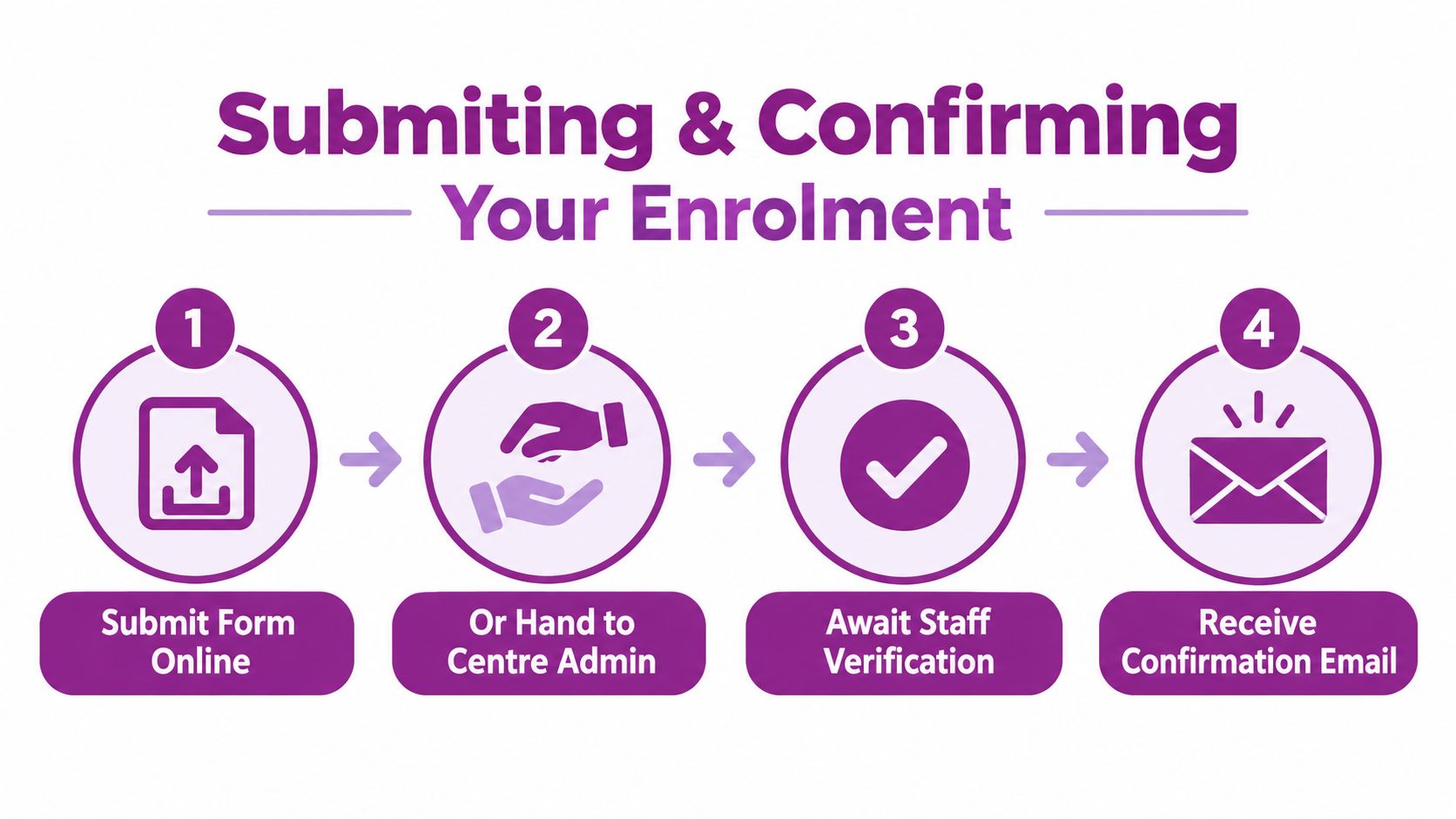
Once the form is complete, review it from the centre's perspective. Can staff identify your child, reach you, contact an emergency person, confirm authorised pickups and locate every health document? If the answer is yes, submit it through the method provided by the administration team.
Families using the online process should check that the final screen confirms submission. Save the confirmation email or take a screenshot showing the submission date. If you're handing paperwork to the centre, ask staff to confirm that they've received the complete pack, especially if documents are being supplied separately.
What the centre checks
Administration staff review the form for missing fields, unclear documents and inconsistencies between the form and supporting records. They may contact you if a name is written differently, a medical plan is incomplete or an authorised person's details aren't clear.
Respond promptly, but don't send sensitive documents to an unverified email address. Use the centre's secure platform or the submission method it gives you. Keep a copy of corrected documents so you know which version is current.
The CCS confirmation step
Enrolment and Child Care Subsidy administration are closely connected. The Australian Government's provider guidance on enrolling children states that providers must enrol children correctly so families can receive CCS, while Services Australia requires families to confirm enrolment details through myGov or Express Plus. Incomplete or failed form data can therefore prevent subsidy activation.
The system operates across a large approved-care network. In the December quarter of 2025, 1,502,040 children from 1,073,120 families attended CCS-approved services, and 48.8% of children aged 0 to 5 used approved care, according to the same government source. These figures are provided for context, but your practical task is simple: compare the enrolment notice with your child's name, care arrangement and start details, then confirm it through the channel Services Australia specifies.
If something doesn't match, contact the centre and update Services Australia as directed. Don't assume a typo will correct itself. Keep checking your myGov or Express Plus messages until the enrolment is confirmed and you've received the centre's own approval or commencement communication.
Tips for Fast Approval and Common Pitfalls to Avoid
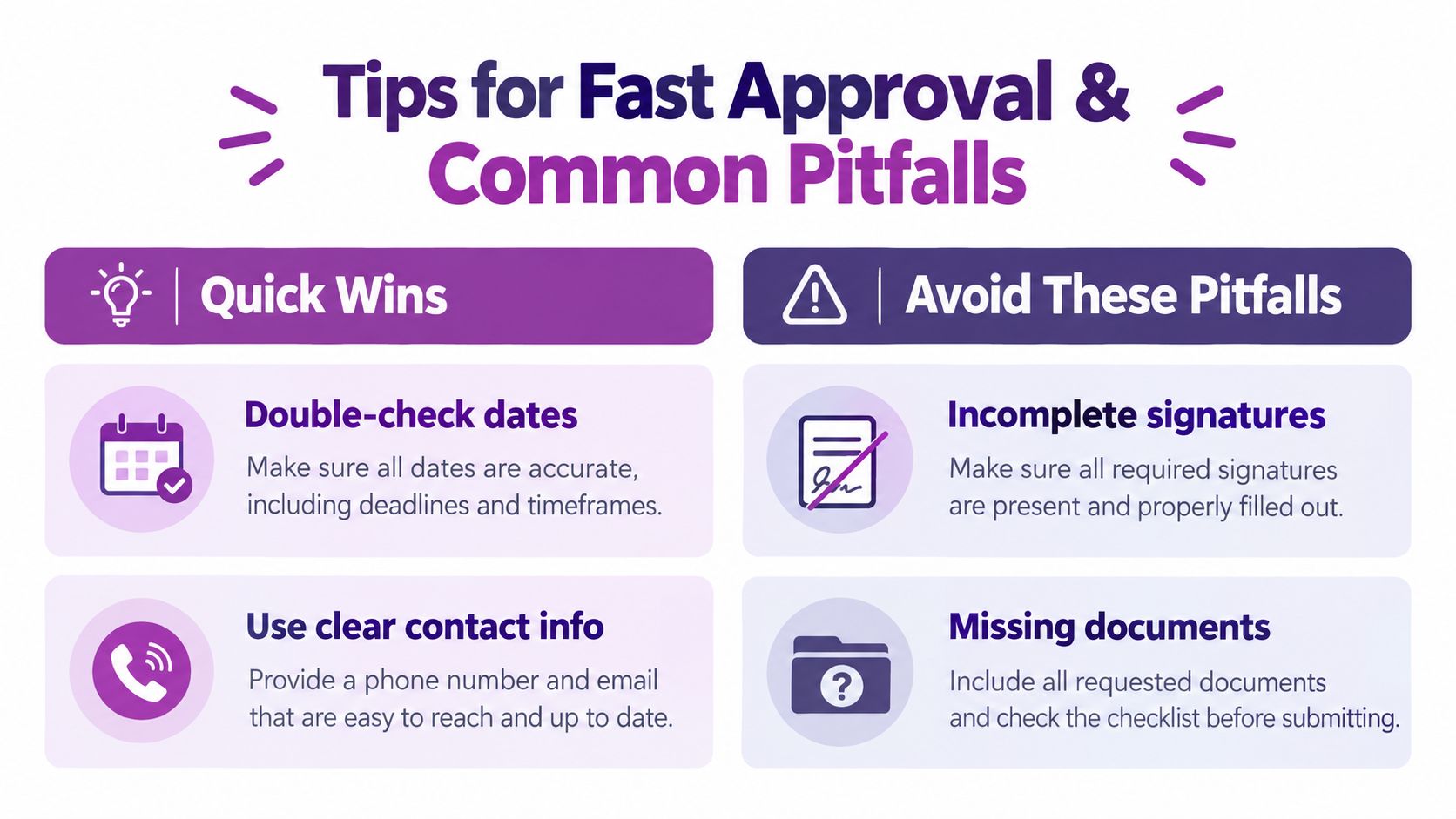
Most delays don't come from difficult questions. They come from small mismatches that stop staff from accepting the file without clarification.
Quick wins before you press submit
- Check every date: Confirm the birth date, proposed start date, document dates and any expiry or review dates.
- Match legal names: Use the same spelling across the form, identity records, medical plans and subsidy records.
- Use reachable contacts: Give phone numbers and email addresses that are monitored during the day.
- Name all pickups: Add every person you expect to collect your child, then update the centre before someone new attends.
- Attach readable files: Open each scan or photograph before uploading it to confirm that every page is visible.
- Explain uncertainty: If a question doesn't fit your situation, ask the administration team instead of leaving it unexplained.
An immunisation statement supplied too early may no longer meet the Victorian template's timing requirement by the child's start date. Check the statement date when you first gather your documents, then check it again immediately before submission.
Medical paperwork needs the same care. A plan without the required health professional information may leave educators unable to implement it, even if your written form describes the condition accurately. Ask the centre which version it needs and whether medication must be supplied separately.
The biggest time saver is a final comparison of the form against every attachment, name, date and signature before submission.
Families also forget that the form is a living record. A new phone number, change in custody arrangements, updated medical diagnosis or new authorised pickup should be reported to the centre rather than waiting for an annual review. Keeping information current protects your child and prevents confusion at collection time.
Your Next Steps After Enrolment Is Confirmed
Confirmation is the point where paperwork becomes preparation. Save the approval message, enrolment confirmation and final document copies in one folder. That record will make future updates easier and can help if you enrol a younger sibling later.
Ask the centre about orientation visits and settling-in arrangements. A short visit can help your child see the room, meet educators and practise the arrival routine before the first full day. Use the opportunity to discuss sleep, comfort items, meals, toileting, separation and the words your child uses for familiar routines.
Prepare the practical items early. Label clothing and belongings, pack any approved comfort item, and ask what the centre supplies. You'll also want to understand arrival and collection procedures, communication channels, illness requirements and how educators share learning updates.
Kids Club ELC's programmes include care for infants and toddlers, three-year-old kindergarten and four-year-old pre-PREP, with a Reggio Emilia-inspired approach, VIT-registered educators, music and sports experiences. Your completed form gives educators the information they need to connect those experiences with your child's routines, strengths and support needs.
Keep the checklist from this guide beside your saved form. Before the first day, confirm identity documents, immunisation information, medical plans, authorised pickups, signatures and CCS confirmation. If any detail has changed since submission, tell the administration team straight away.
Kids Club Early Learning Centre offers care and kindergarten programmes for children from six weeks to six years, with practical enrolment support and secure electronic submission options. Visit Kids Club Early Learning Centre to speak with the centre team, ask about your preferred Melbourne location and get help completing your childcare enrolment form.