
A first day at long day care should feel exciting, not financially alarming. Yet plenty of Melbourne parents in Brunswick, Cranbourne, Springvale South and beyond open their banking app after drop-off and see the full centre fee come out because their Child Care Subsidy, or CCS, hasn't been applied.
In most cases, that isn't a mysterious Centrelink refusal. The problem is usually timing, an incorrect Centrelink Reference Number, or an enrolment that the provider hasn't submitted and the parent hasn't confirmed. The system is manageable, but the order matters. You need to prepare the family records, submit the claim, wait for the provider's enrolment notice, and confirm that notice in Centrelink.
Treat your CCS application as a four-part process, not a single online form: check your position, prepare the records, lodge the claim, and confirm the enrolment. If you're comparing local care options, review the practical fee and subsidy information in this guide to affordable childcare near me in Melbourne before locking in a start date.
Why This Application Trips Up So Many Melbourne Parents
A parent can do everything that appears obvious, including choose a centre, sign an agreement and open myGov, and still pay the full fee at the beginning. The missing step is often the connection between the family's Centrelink claim and the provider's enrolment record.
The provider must submit an enrolment notice in the Child Care Subsidy System. After that, the family must confirm the enrolment in their Centrelink online account before CCS can be paid. A claim sitting in myGov isn't necessarily a claim ready to reduce your account.
The order matters more than the form
Consider a family starting care at a Melbourne centre. The parent submits a claim late at night after the child's first session, but the centre's enrolment notice hasn't been lodged yet. The parent then assumes the claim is active because a confirmation screen appeared. Meanwhile, the centre's fee system continues to charge the ordinary amount until the records match.
That's why I tell families to work backwards from the first booked session. Ask the centre when it expects to submit the enrolment notice, check that your child's details match the enrolment agreement, and confirm the notice in Centrelink as soon as it appears.
Practical rule: A submitted claim is only one part of the payment process. Treat provider enrolment confirmation as a separate task with its own check.
The wider scale of the programme makes these small administrative details important. In the March quarter of 2026, 1,479,580 children from 1,060,720 families attended a CCS-approved service, while the Australian Government estimated $3.59 billion in CCS and Additional Child Care Subsidy expenditure. The same report recorded approved-care use by 49.0% of children aged 0 to 5 and 34.2% of children aged 0 to 12. The Australian Government's March quarter CCS report shows why application quality matters to ordinary families, not just administrators.
Checking You Meet the CCS Eligibility Rules First
Don't begin by clicking through myGov blindly. Start with a short pre-flight check, then use the official application prompts to verify the details Services Australia needs for your family and care arrangement.
The most important starting point is the care setting. CCS applies when a child attends a CCS-approved service, so ask the centre whether its service is approved and whether the enrolment has been set up under the correct child and family records.
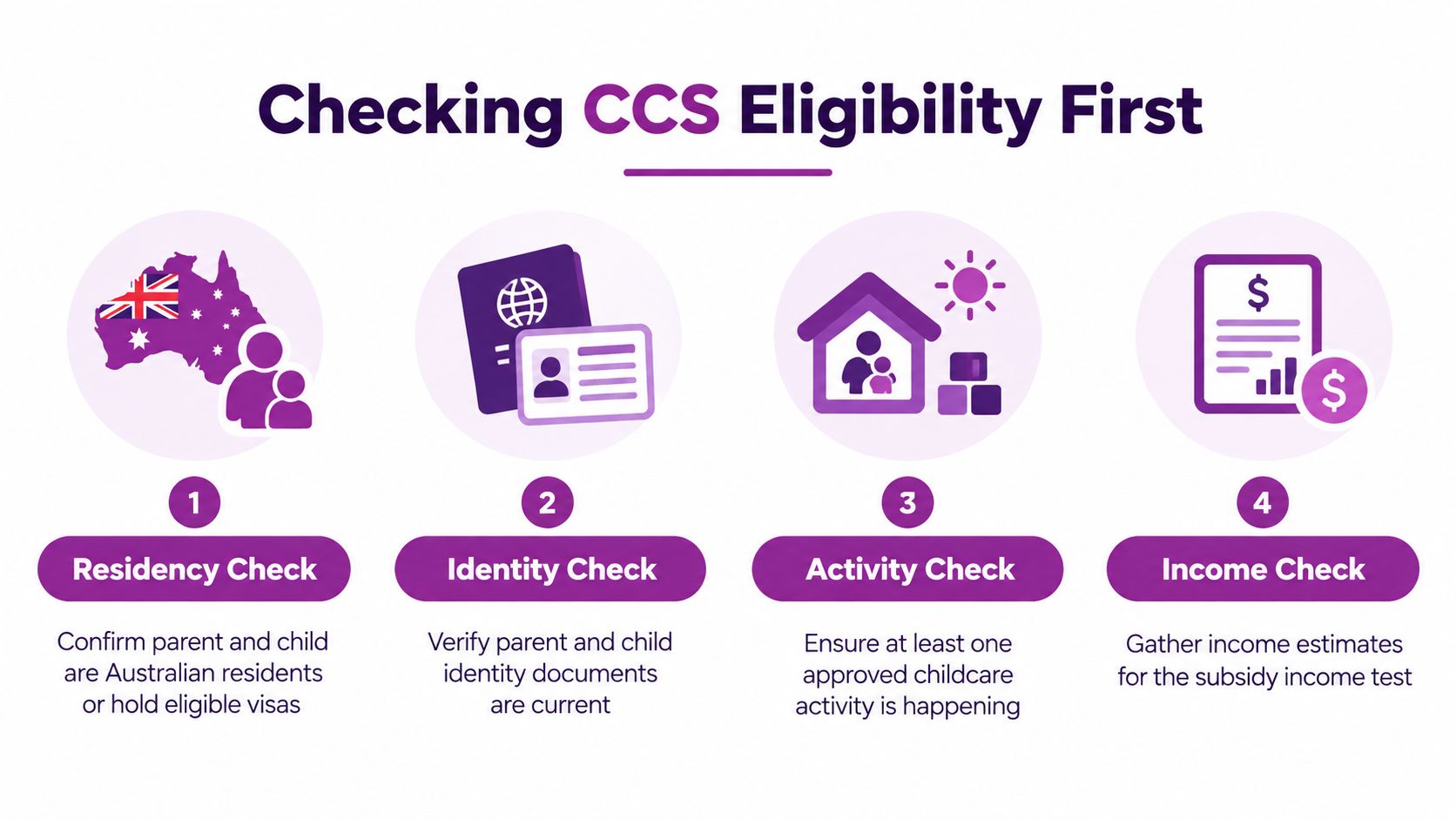
Run this check before opening the claim
- Confirm the family details: Make sure the parent making the claim and the child are recorded consistently across myGov, Centrelink and the provider's enrolment form.
- Check the child's care arrangement: Confirm that the booked service is CCS-approved and that the intended start date is the same in your agreement and the provider's system.
- Review the child's government records: If the centre asks you to resolve an identity, health or enrolment record issue, deal with it before the first session rather than waiting for a rejected payment.
- Prepare the financial information: The claim includes financial details, so estimate household income carefully and keep the supporting information you used.
This check won't replace the formal assessment. It prevents a common mistake, assuming that choosing a childcare place automatically means Centrelink can identify the correct child, provider and start date.
Families in Melbourne's migrant communities should be particularly careful with names, identity records and visa or residency information. If a family member's details have changed, or the spelling differs between documents, resolve the mismatch before submitting. Use the CCS estimator for practical planning as a budgeting aid, but rely on the Centrelink assessment for the actual payment decision.
The 30-second test is simple: can you identify the claiming parent, the child, the approved provider and the intended first session without guessing? If not, pause the claim and get the records aligned first.
Getting Your CRNs, Documents and myGov Account Ready
The fastest CCS applications are usually prepared before the parent opens the claim. Spend one organised evening checking the records, because a wrong CRN can create a delay that no amount of refreshing the app will fix.
Work through the preparation list
-
Confirm both CRNs. The claiming parent and child need the correct Centrelink Reference Numbers in the family's records. Don't copy a child's number from an old email without checking it against the current Centrelink account. Incorrect CRN details are a recognised failure point, particularly when specialised subsidy claims or enrolment records are involved.
-
Set up myGov and Centrelink. Sign in to myGov, check that your email and phone number work, and make sure Centrelink is linked. If you need a linking code, request one through Services Australia and follow the instructions attached to your account. A myGov account by itself isn't enough if Centrelink hasn't been linked.
-
Collect income information. Keep the information you'll use for your income estimate close by. Casual and self-employed parents should be realistic about changing earnings rather than entering a figure just to make the form quicker.
-
Check payment details. Review the bank account recorded in Centrelink and compare it with the account you use for household budgeting. Correcting a payment detail after the claim is submitted creates avoidable work.
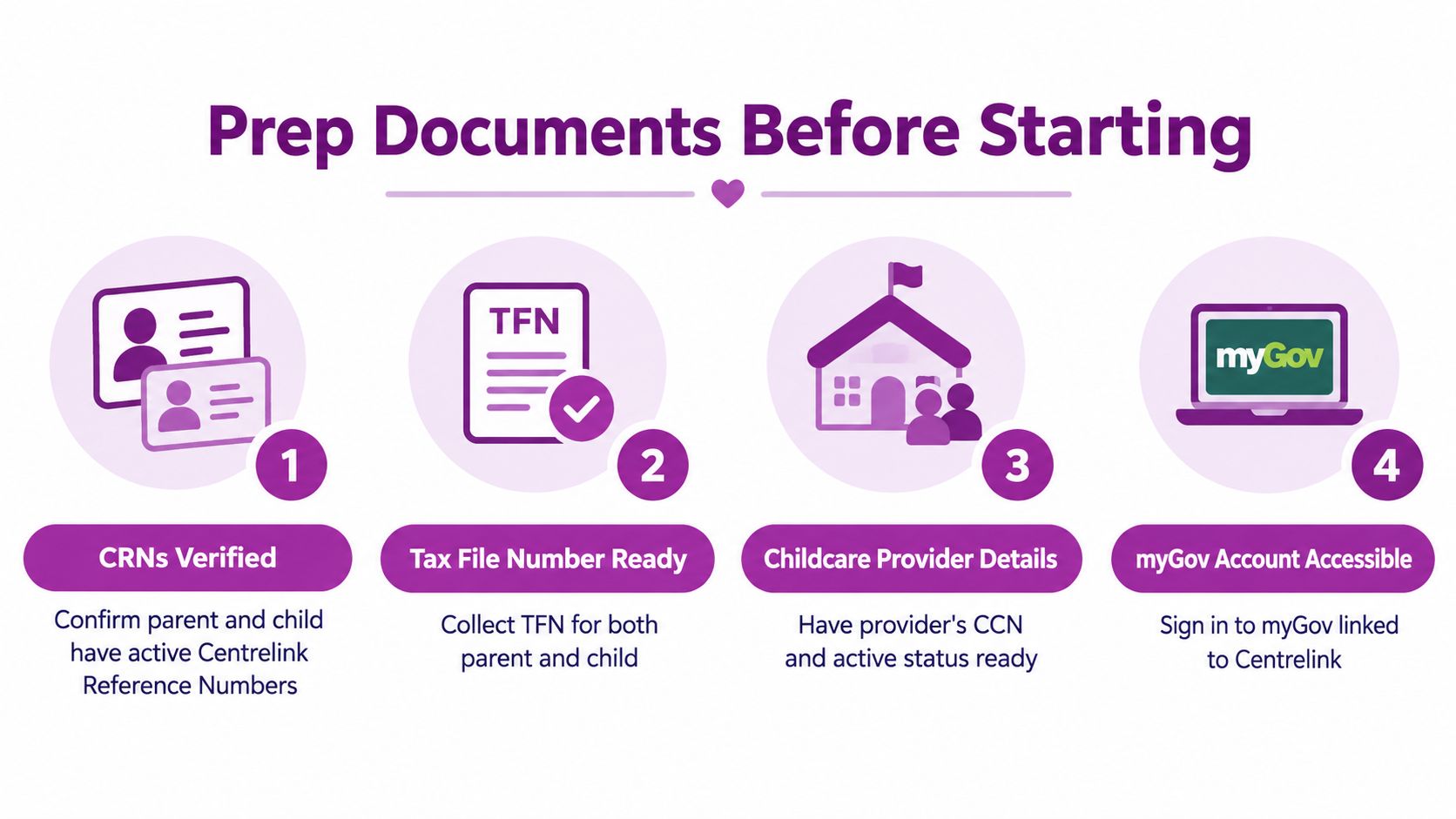
Don't let a CRN mismatch sit unnoticed
A provider can have the right child's name while Centrelink has a different family record attached. That mismatch can stop the enrolment from lining up with the claim, even when the child is booked into the correct room.
Before you submit, compare the parent and child names, dates of birth and CRNs shown in the provider's enrolment paperwork with the details in Centrelink. Keep a copy of the submitted claim summary and your enrolment agreement. The provider policy and procedures information can also help families understand which enrolment details need to remain consistent.
If one detail looks wrong, fix it before the first session. A five-minute check is easier than reconstructing the record after a full-fee debit.
The myGov to Centrelink Claim Sequence Step by Step
Once your records are ready, use the standard Centrelink online path. Sign in to myGov, open Centrelink, select Payments and claims, choose Claims, then select Make a claim. Choose Apply for Family Assistance Payments and follow the CCS workflow.
Services Australia describes the process in five broad stages: personal details, circumstances, financial details, review and confirm, and next steps. Complete each stage using the child and household information that matches your provider's enrolment record. The official Centrelink help for claiming CCS sets out this operational sequence and the enrolment dependency.
Slow down at the fields that cause errors
The form is not difficult, but parents often move too quickly when more than one child appears in the account. Select the child who is enrolled for the care arrangement you're claiming. Read every review screen before confirming, especially the family details, income information and circumstances.
If myGov asks you to provide or review information about the child's records, don't skip the field just to reach the end. An incomplete answer can leave you with a submitted application that still needs action.
After submission, save the claim reference and download the summary if the option appears. Then return to the Centrelink homepage and check the claim status. A confirmation message means the claim was lodged. It doesn't remove the need for the provider to submit the enrolment notice or for you to confirm that notice.
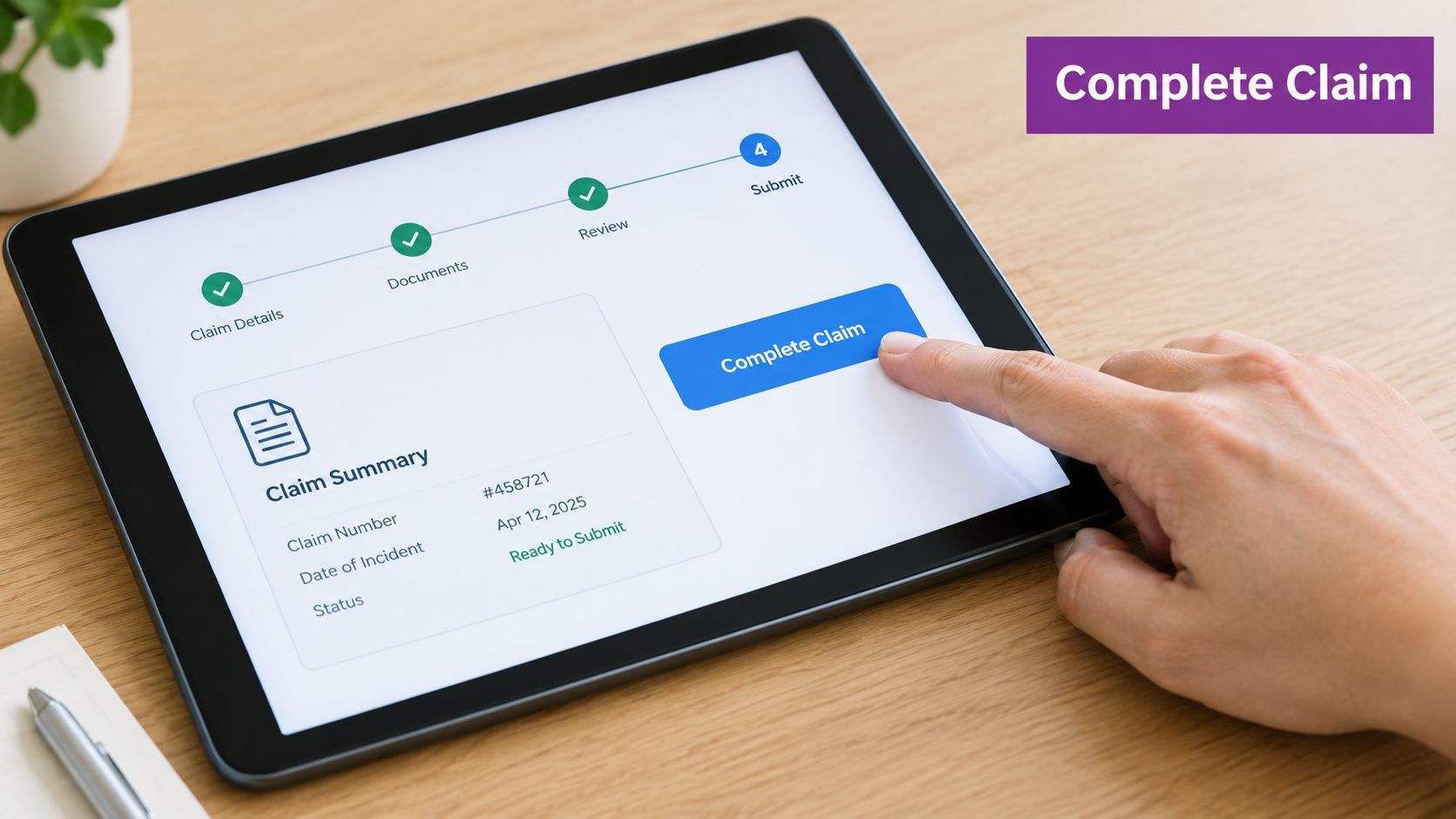
Keep the provider in the loop
Tell the centre's administration team that you've lodged the claim and ask when they expect to submit the enrolment notice. When the notice appears in Centrelink, open it, compare the child, provider and start-date details, and confirm it. If anything is wrong, don't accept it hoping the system will correct itself. Ask the provider to amend the record first.
Timing the Claim Around the 2026 72-Hour Rule
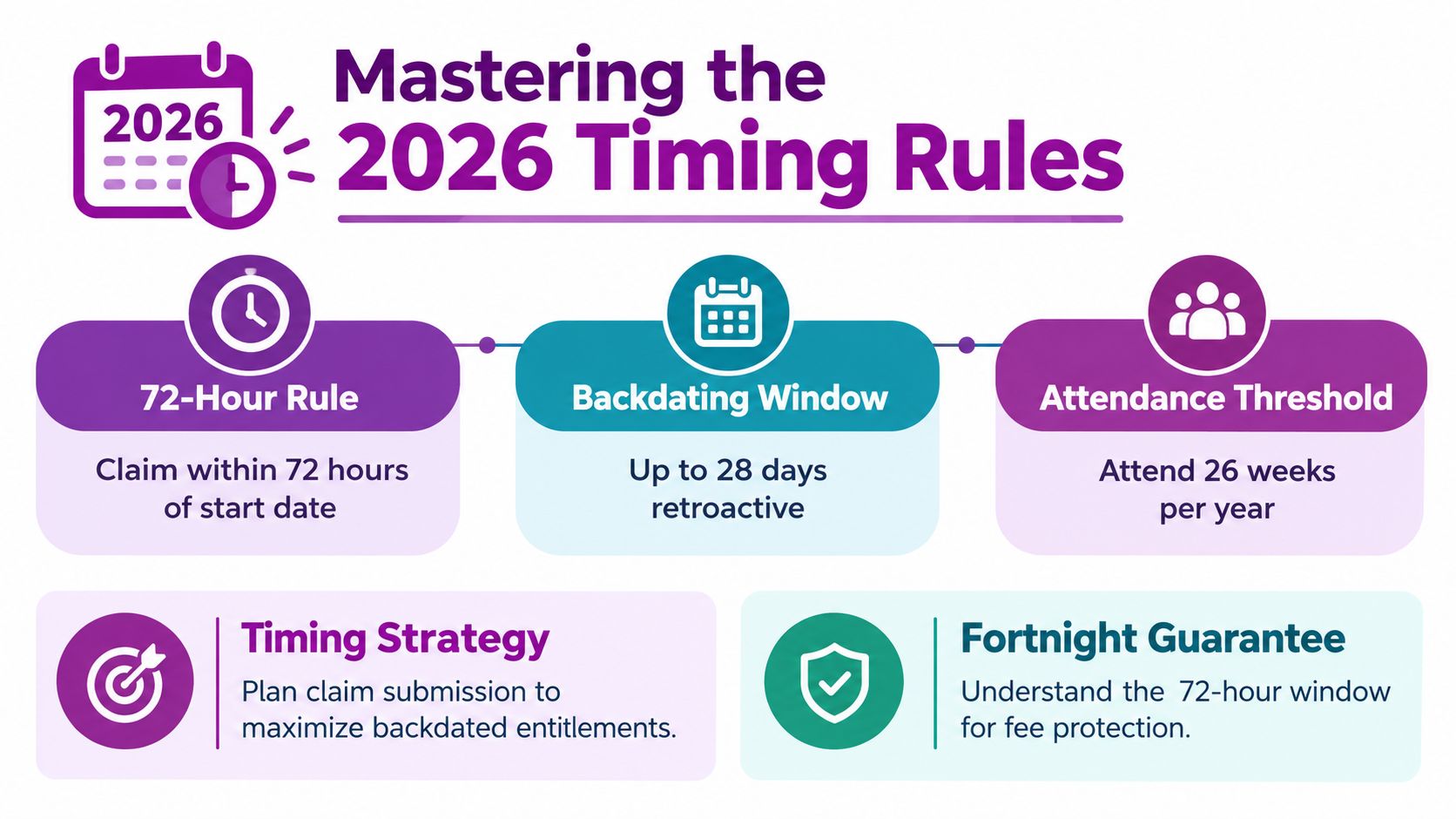
The 2026 change gives all CCS-eligible families access to at least 72 hours of subsidised care per fortnight, replacing the old activity test. Existing CCS families don't need to do anything for the change, but a new applicant still needs to lodge a CCS claim before the guarantee can apply. The Australian Government's CCS provider guidance explains the change.
That rule sits alongside two timing requirements that parents must not overlook. Services Australia says a claim can be backdated to the first Monday of a CCS fortnight, but only up to 28 days before the claim was submitted. The child must also attend care at least once within the first 26 weeks after CCS starts, or subsidy payment may stop. Services Australia's claiming guidance confirms both limits.
Use the first session as your anchor
Don't plan around the financial year. Plan around the child's first booked session and the CCS fortnight that contains it. My recommendation is to lodge the claim before care starts, then check myGov for the provider's enrolment notice before the child's first day.
A claim lodged after the first session may still fall within the backdating window, but that isn't a reason to delay. Backdating has a defined limit and doesn't guarantee that every administrative step will be complete when the fee is due.
The 72-hour guarantee also shouldn't be confused with a 72-hour application deadline. It describes the minimum subsidised care entitlement for eligible families under the 2026 arrangement. Your payment still depends on a lodged claim, accurate details, provider enrolment confirmation and the other requirements attached to CCS.
My Melbourne rule: Submit early, confirm the provider notice before the first session, and treat any full-fee charge as a prompt to check the claim status immediately.
Confirming Your Enrolment With Your Childcare Centre
On enrolment day, the family and the centre each have a job. The parent signs the enrolment agreement, provides the requested family and child details, and gives the centre the information needed to connect the enrolment to the Centrelink record. The centre then submits the enrolment notice through the Child Care Subsidy System.
That notice is the trigger the payment process needs. The parent must still open Centrelink and confirm the enrolment. Until that confirmation happens, the claim may not operate as the family expects, even if the parent completed the application correctly.
What to check with the administration team
Ask the centre to confirm:
- The child record: The child's name and identifying details match Centrelink.
- The provider record: The approved service and enrolment are attached to the correct centre.
- The start date: The date in the provider system matches the date on your agreement.
- The care schedule: The sessions submitted by the centre reflect the care you booked.
- The next action: You know whether you need to confirm anything in myGov.
A centre like Kids Club ELC may use childcare administration software to manage enrolments, but the family should focus on the result rather than the brand of software. You need to see the enrolment notice in Centrelink, check that the details are correct, and accept it when prompted.
Don't accept an incorrect record
If the notice shows the wrong start date, child or enrolment type, contact the centre before confirming. Incorrect enrolment details can block approval, and specialised subsidy settings may require the correct enrolment type.
Keep communication practical. Send the administration team the claim reference, identify the exact mismatch, and ask them to confirm when the amended notice has been submitted. Before the first session, also ask how the centre records attendance and how absences affect the account. That conversation protects you from assuming that a booked place and an attended session are treated identically by the system.
Troubleshooting the Most Common CCS Rejections and Delays
A claim marked as submitted isn't the same as a claim that is reducing your fees. Pressure-test the process against the failure points that cause the most disruption: late lodgement, unconfirmed enrolment, incorrect records and attendance gaps.
If the claim was lodged late
Check the first session date and the claim submission date. If the claim falls within the permitted backdating window, contact Services Australia and ask what action is available. Keep the provider's attendance or session record ready so you can show the care date clearly.
Don't assume a late claim will automatically cover the first invoice. Services Australia's backdating rule is tied to the first Monday of a CCS fortnight and is limited to the period before submission. The safest recovery is to check the dates, contact Centrelink promptly and keep the centre informed.
If the enrolment is still waiting
Call the centre's administration lead rather than waiting for the next routine billing cycle. Ask whether the enrolment notice has been submitted in the Child Care Subsidy System and whether the child, start date and care arrangement match your claim.
If the centre says it has submitted the notice, return to Centrelink and look for the confirmation task. Providers may use different administration platforms, so ask for confirmation of the government-system submission rather than focusing on the software name.
If attendance has become an issue
Review your Centrelink messages and care records when you notice a payment interruption. The child must attend care at least once within the first 26 weeks after CCS starts, so don't ignore a period where the child hasn't attended. If illness, a changed work arrangement or another serious circumstance affected attendance, gather the relevant supporting documents and ask Services Australia what review pathway applies.
If the income estimate is wrong
Update your estimated income as soon as you realise it no longer reflects the household's position. A low estimate can create a later reconciliation problem, while an accurate update gives Centrelink a better basis for assessing the claim. Don't leave an obvious error untouched because you're worried that changing it will be inconvenient.
Keep a simple escalation list on your fridge:
- Centrelink: Check the claim and payment status, then contact Services Australia if the record or backdating needs review.
- Provider administration: Ask for the enrolment notice, start date and schedule to be checked.
- myGov help: Use the account support pathway if you can't access Centrelink or confirm the enrolment online.
The government's March quarter 2026 data recorded 1,413,870 children from 998,500 families using CCS-approved care, with 49.0% of children aged 0 to 5 using approved care. The Australian Government's CCS data announcement reinforces the practical point: check every record, because small errors affect a large number of ordinary care arrangements.
Kids Club Early Learning Centre offers care for children from six weeks to six years, practical enrolment support, flexible options and CCS guidance for families in Springvale South, Dandenong North and Ferntree Gully. Visit Kids Club Early Learning Centre to explore the centres and start your enrolment with the subsidy sequence organised from the beginning.